I Am New
Next Steps
About Us
Ministries
Pastors + Staff
Giving
CCB
Calendar
Communication
© 2023 EASTBROOK CHURCH. ALL RIGHTS RESERVED.
1.414.228.5220
info@eastbrook.org
Join Us for Worship! Sunday Services at 8, 9:30 & 11 am
Watch Online
Home
About Us
I Am New
Pastors + Staff
Church Council
Map & Directions
Employment
Residencies & Internships
Next Steps
Exploring Faith (Alpha)
Newcomers Lunch
Baptism
Connect, Grow, Serve
Core Classes
Studies
Small Groups
Events
Full Calendar
National Day of Prayer
Grandparenting Seminar
Eastbrook 101
Ministries
Accessibility & Belonging
NextGen
Littles
Kids
Middle School
High School
Adults
Small Groups
Studies
Young Adults
Older Adults
Women
Men
Care
DivorceCare
DC4K (DivorceCare for Kids)
GriefShare
SHIFT
One to One Care
Living Waters
Living Well Seminars
Missions
Worship & Prayer
Eastbrook Academy
Media
Sermons
Sermon Series
Sermon Archive
Current Series: God’s Grace for an Imperfect Church
App
Communication
Devotionals
Current Devotional: The Tree and the Vine
Speak Out!
Stories
Video Library
Podcast
Resource Library
Giving
Eastbrook Sunday Sermons Podcast
Subscribe today to listen to Sunday Sermons from Pastor Matt Erickson & Eastbrook Church:
CHECK US OUT!
Apple Podcast
Spotify
iHeart Radio
Amazon Music
Questions?
Contact:
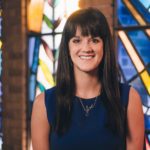
Liz Carver
Director of Communication
and Creative
lcarver@eastbrook.org
414.228.5220 x211